-
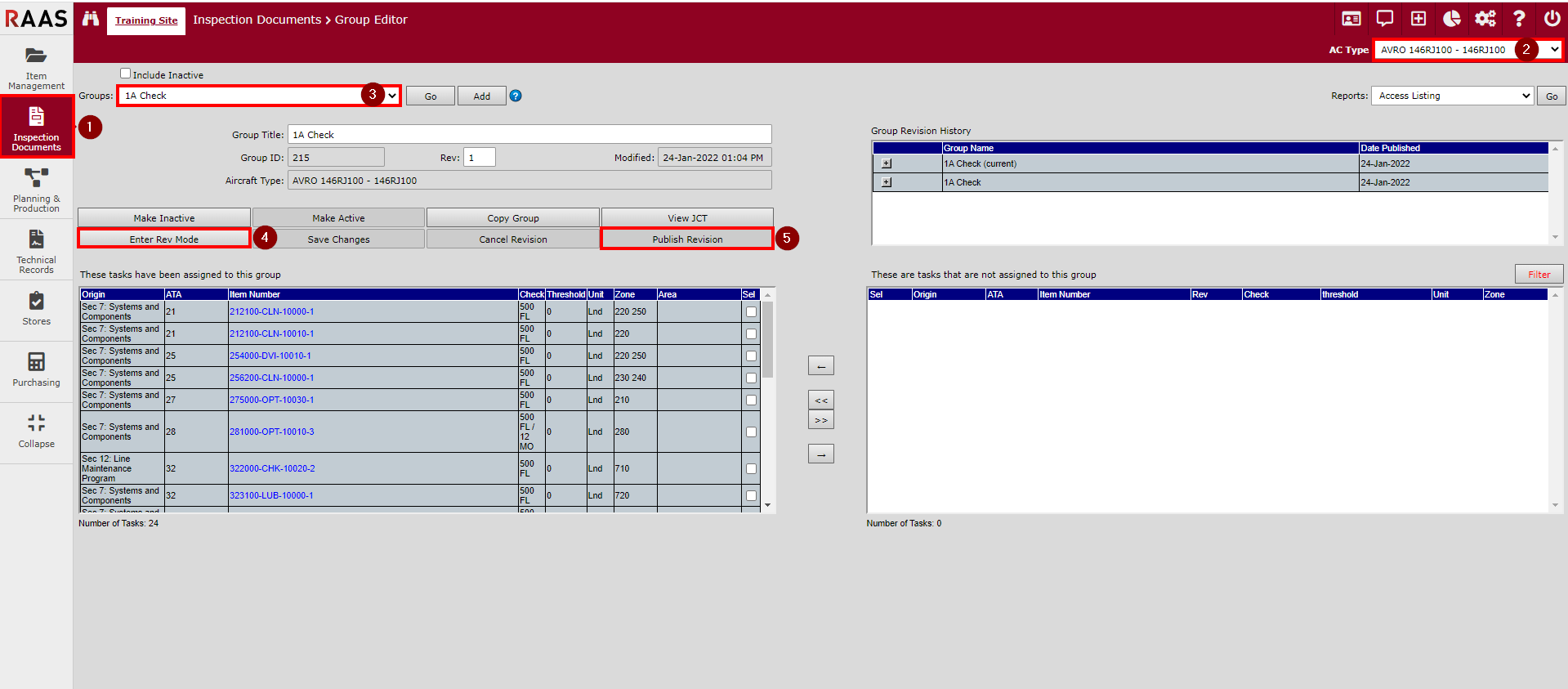
Click on Inspection Documents and select Group Editor.
-
If your fleet consists of multiple aircraft types, select the desired aircraft type from the Aircraft Type dropdown.
-
Select the group to be revised from the Groups dropdown and click Go.
-
Click Enter Rev Mode.
At this point, there will actually be two copies of the group - the existing or "live" copy, and an unpublished copy that is being revised. Unpublished groups will appear in the Groups drop-down with the word "Unpublished" in brackets. Only the live copy can be used in Planning and Production for planning purposes. -
When the desired revisions have been made, click Publish Revision. This will now be the live copy and the previous live copy will be moved to history.