
The process of changing a large/major assembly, such as an engine, in RAAS is one of the most involved tasks a RAAS Tech Records user will perform. Familiarization with the following RAAS modules could be helpful:
Engine/Assembly Change
The process for changing a large assembly, such as an engine or landing gear, is as follows.
Assembly being removed:
Question: Is the assembly being removed taking all attached parts with it (basic assembly Removal), or are some parts being swapped?
If the assembly being removed is a complete assembly, then only one removal entry is required for the full assembly.
If parts are being swapped from the assembly/engine being removed to the assembly/engine being installed, the header part itself, is removed last. That is, the Removal detail for the assembly header part is added last.
Assembly parts that will not remain with the assembly being removed – parts installed on the assembly or on another part that is installed on the assembly – must be removed first. (Parts cannot be processed while they are installed on another part).
Note: A record cannot be the subject of multiple entry details on the same log. A SN cannot be removed and installed on the same log.
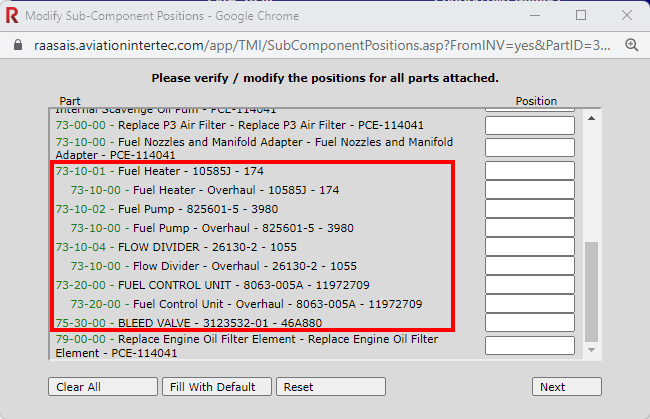
In this example, the Fuel Heater, Fuel Pump, Flow Divider, Fuel Control Unit and Bleed Valve will be swapped to the new engine.
TMI Entry is created and Removal Details are added
-
Remove the swapped parts first
-
Remove the Engine Assembly last
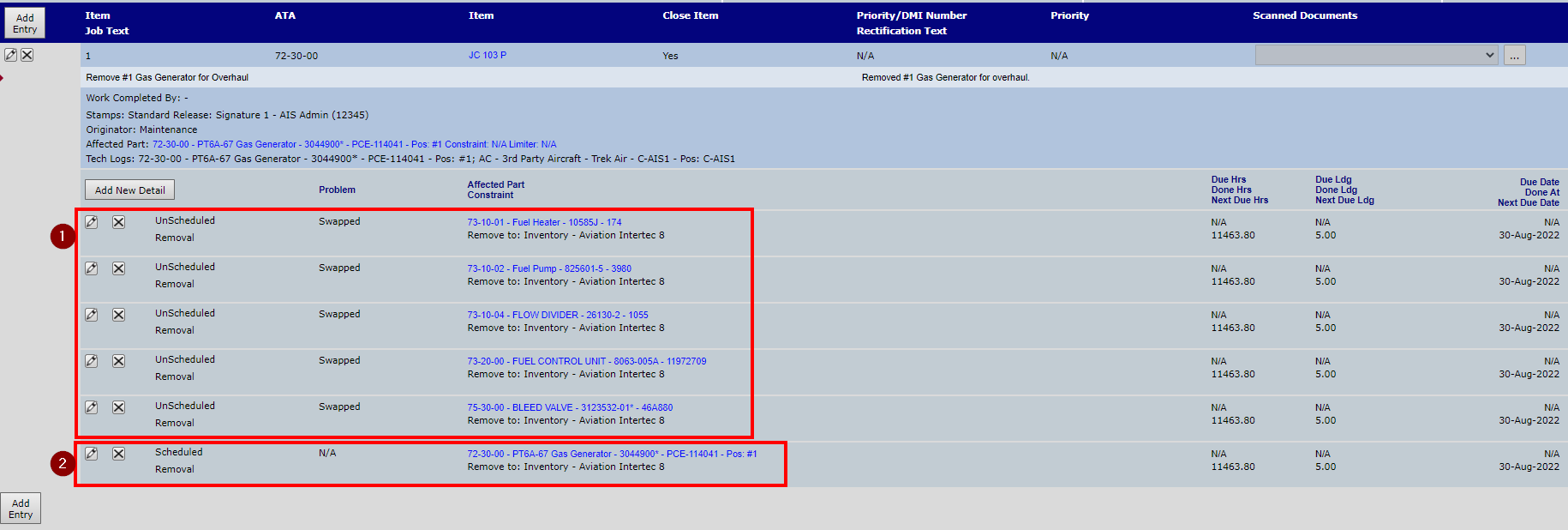
Once all removals are complete, the TMI Entry will then be posted, with the installations being completed on another PMI Entry.
Assembly being installed:
Question: Is the assembly being installed a new assembly (new to RAAS – just received/created) or is it an assembly that is already in RAAS?
New assemblies must be built. That is, new assemblies must be created with all parts installed as the assembly was received, and all applicable inspections (ADs, SBs, etc.). The SN Build Assy function or the Options – Copy an Assembly function can be used, but some parts listed in the RAAS Config (PN) or on the existing assembly being copied may have to be removed (moved to Dead via SN modify current installation) if they were not received with the assembly.
Once all parts and inspections have been created and set up (Requires Set Up flags removed - see Note 2), the assembly can be issued and installed.
If the assembly already exists in RAAS, and it is already configured as required, it can be issued and installed.
If the assembly already exists in RAAS, but was just received from repair or overhaul, part changes and constraint updates (inspection Comply or Comply/Reset) are likely required. Part changes and constraint updates are accomplished via TMI Entry, either on a log posted against the assembly itself or an aircraft log for the aircraft the assembly is being installed on.
Parts installed during repair or overhaul must be created in RAAS either by being received on a Purchase Order or by adding them manually in the Item Editor. Once in RAAS, the parts must be issued either to a PR and/or JC, directly to an EC, or manually installed on the Assembly.
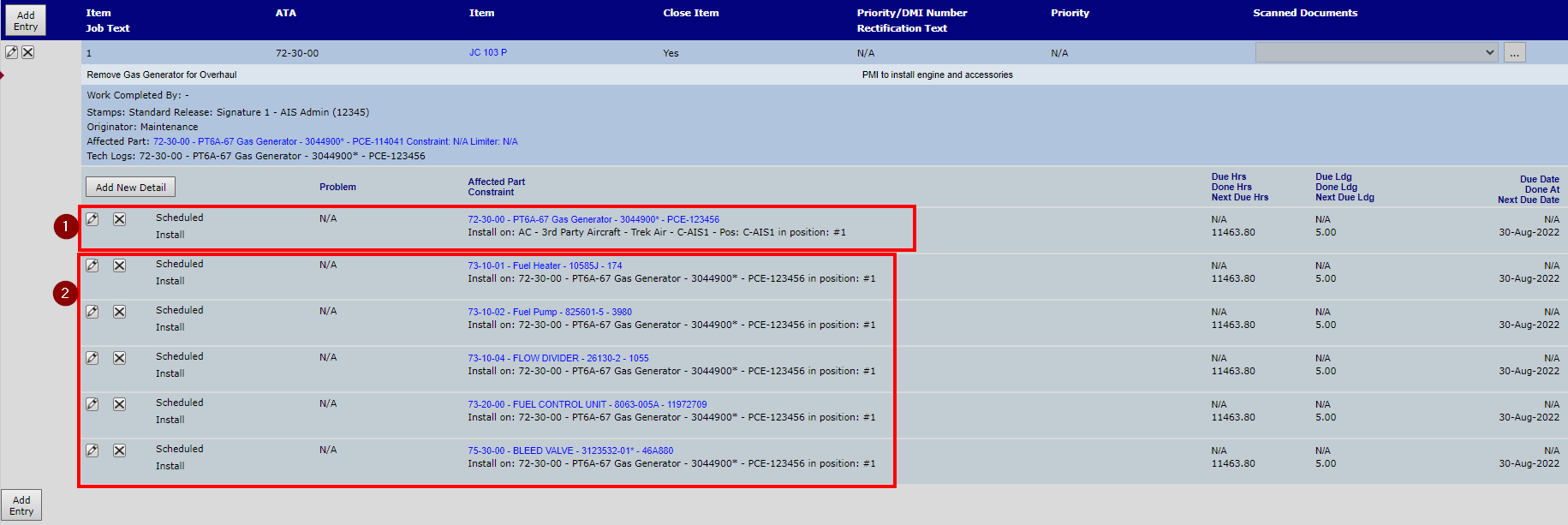
The order of the log entry Install details is the opposite of the Removal details. That is, the assembly header part is installed first. Parts replaced during repair or overhaul must be removed, then the parts created for this purpose and the parts being installed that were removed from the assembly being removed are installed.
TMI Entry is made and Install Details are added
-
Install the Engine Assembly
-
Install the Swapped Components to the Engine Assembly
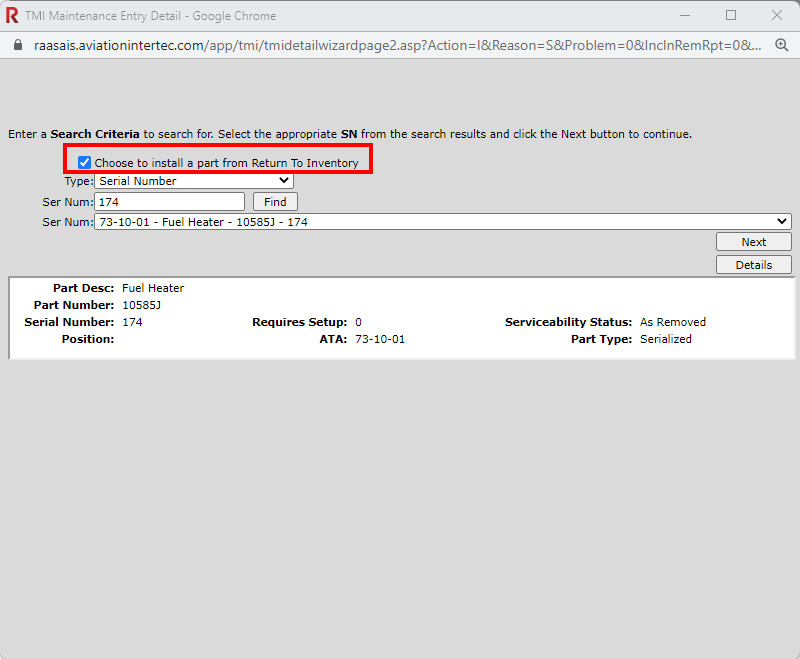
If parts from the previous Assembly are being installed onto the new Assembly, Choose to install a part from Return to Inventory must be selected during Installation.
When adding Install details, assembly configuration must be considered when specifying part installation.
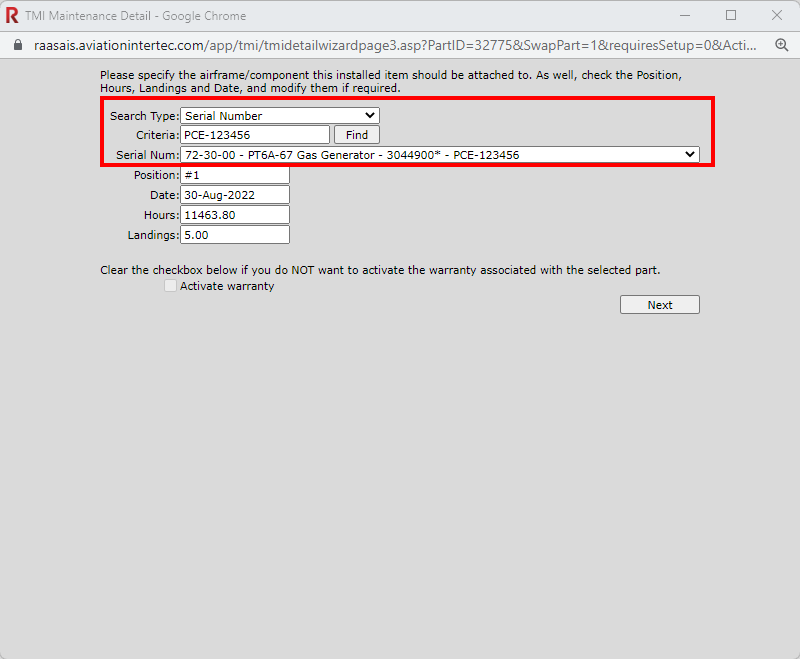
Once all parts have been installed to the assembly as required, inspections and parts attached to the assembly will need to be reviewed for any comply/resets that may be necessary.
Note 1: RAAS will prohibit adding the installation record to the TMI post until all installed components and inspections have been set up (by removing the Requires Setup flag on the Serial Number details), or removed/moved to Dead.
Note 2: Requires Set Up flags can be reviewed by running the Requires Set Up Report from the PN level.