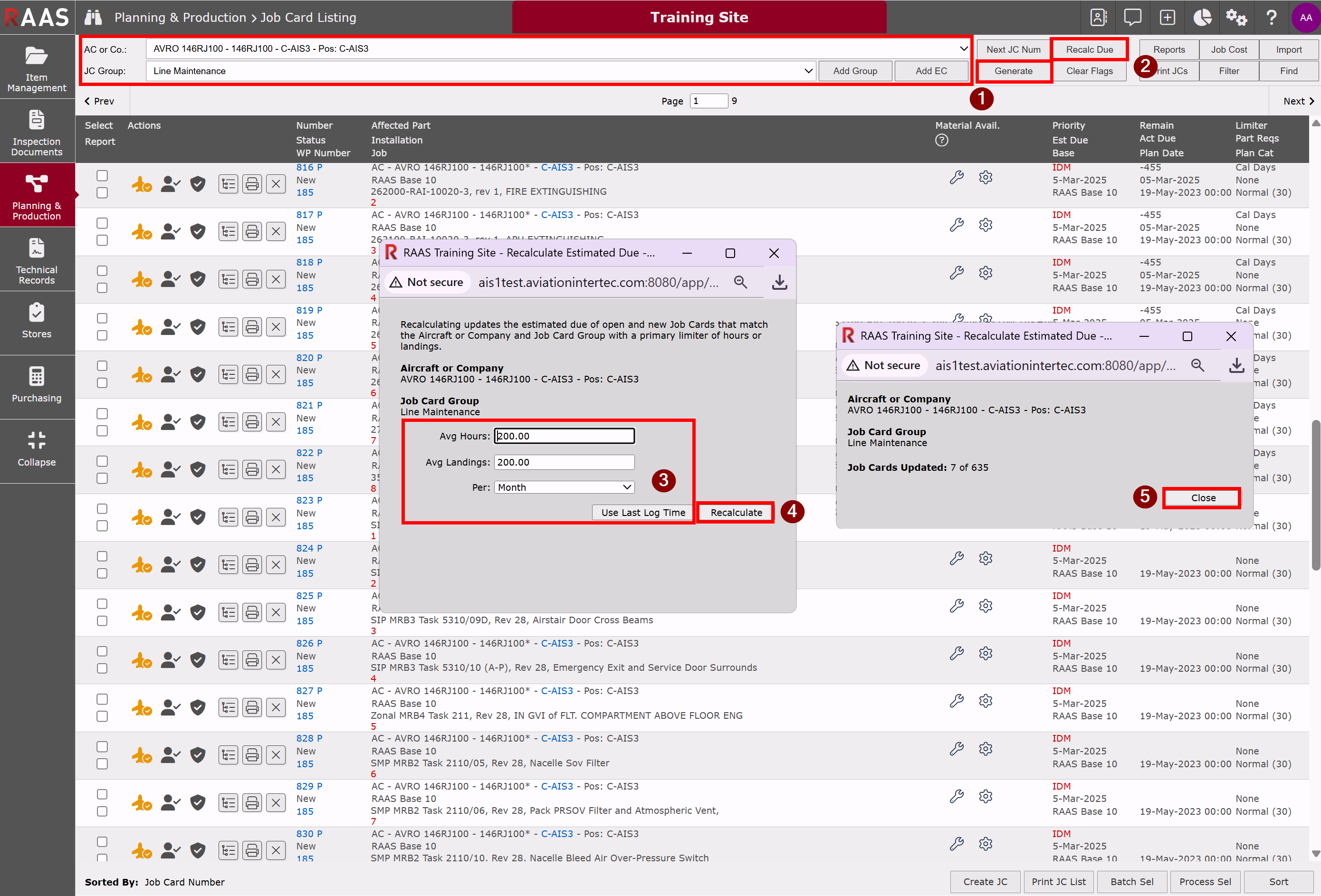
The Job Card Listing - Recalc Due utility recalculates Job Card Estimated Due based on the utilization rate entered for job cards with a primary limiter (Pri Limiter) of hours or landings.
-
From the Job Card Listing sub-module, select an aircraft and a JC Group and click Generate.
-
Click the Recalc Due button.
-
Enter the average hours and landings for a time period OR click Use Last Log Time.
-
Click Recalculate.
-
Click Close.