
Job Card Importing from JCT Groups and Quotes allows users to create Job Cards in RAAS by importing a previously created JCT Group/Quote. A Job Card is created for the selected JCT Group/Quote.
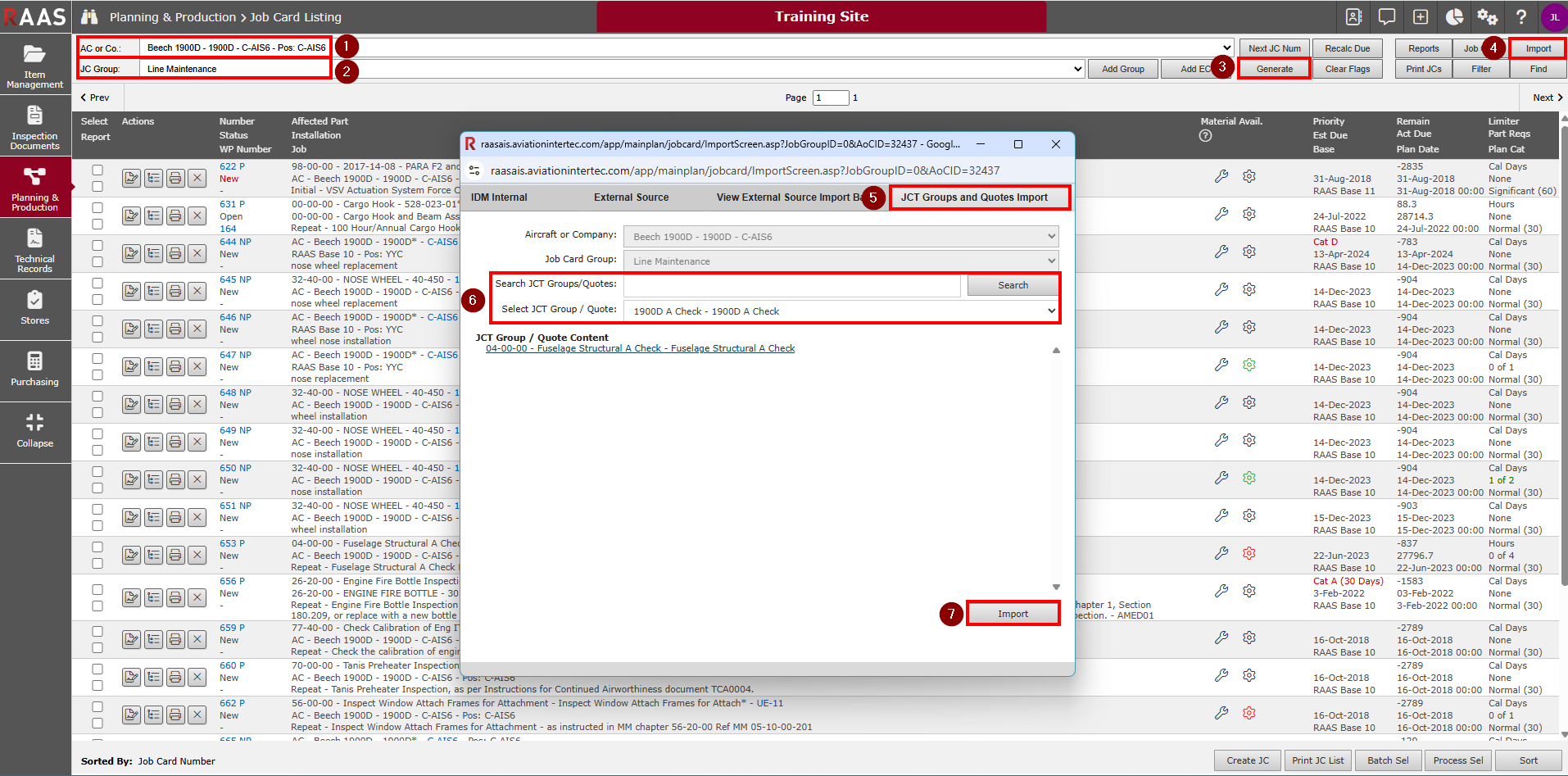
Go to Planning & Production > Job Card Listing
-
Select an Aircraft or Company from the dropdown menu.
-
Select a Job Card Group.
-
Click Generate.
-
Click Import.
-
Select the JCT Groups and Quotes Import tab.
-
Search for and select the JCT Group/Quote you would like to import into the Job Card Listing.
-
Click Import.
Regenerate the Job Card Listing to see the newly created Job Card. There will be one Planned, Non-Tracked Job Card (JCs will not be tracked on Maintenance Forecast) for the selected JCT Group/Quote. Once created, Job Cards can then be added to a Work Pack if required.