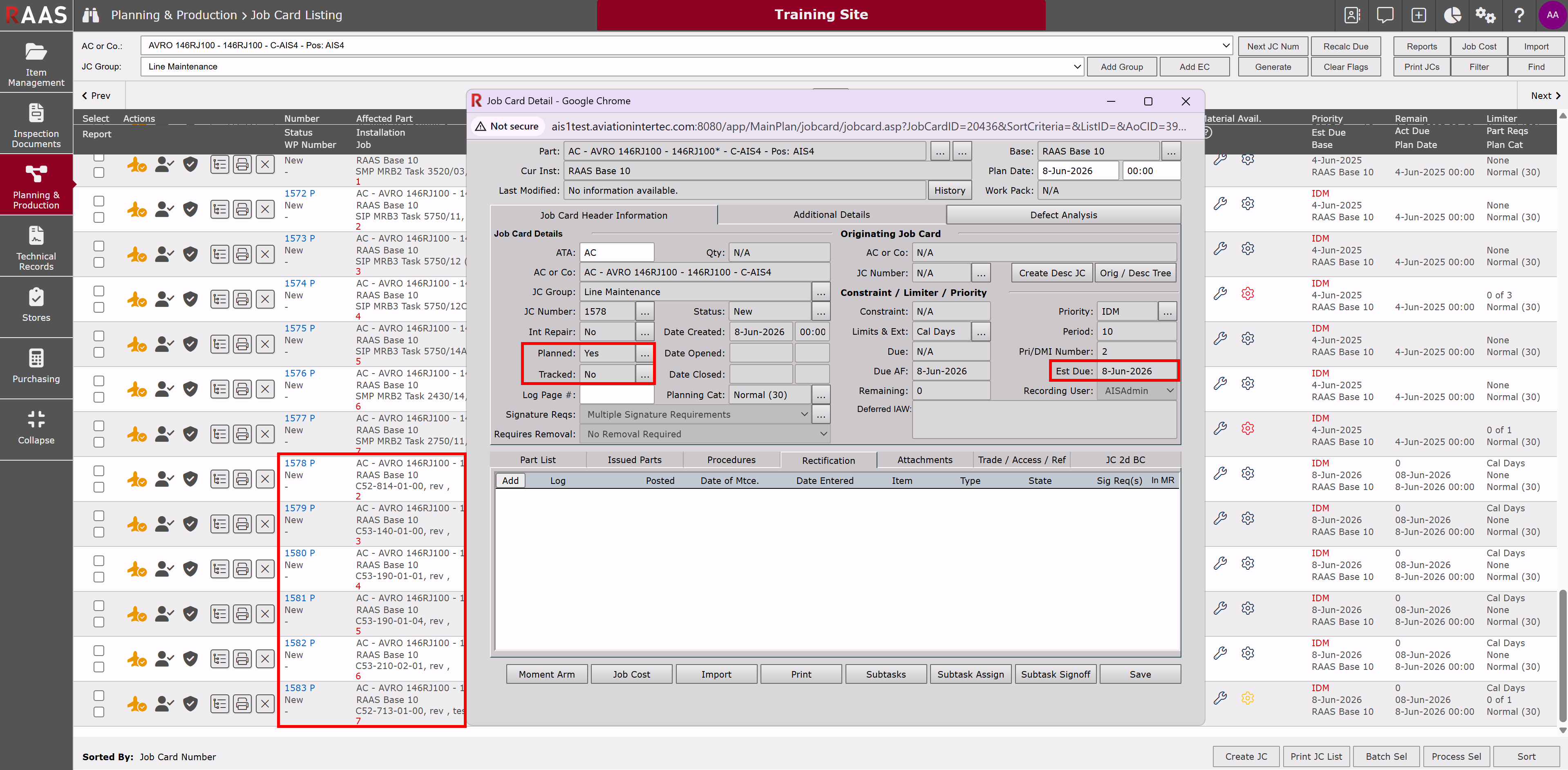
Job Card Importing from IDM Internal allows users to create Job Cards in RAAS by importing the Task details from IDM rather than by issuing from the Maintenance Forecast or creating Job Cards manually. A Job Card is created for each IDM Task instead of a single Job Card for each Group.
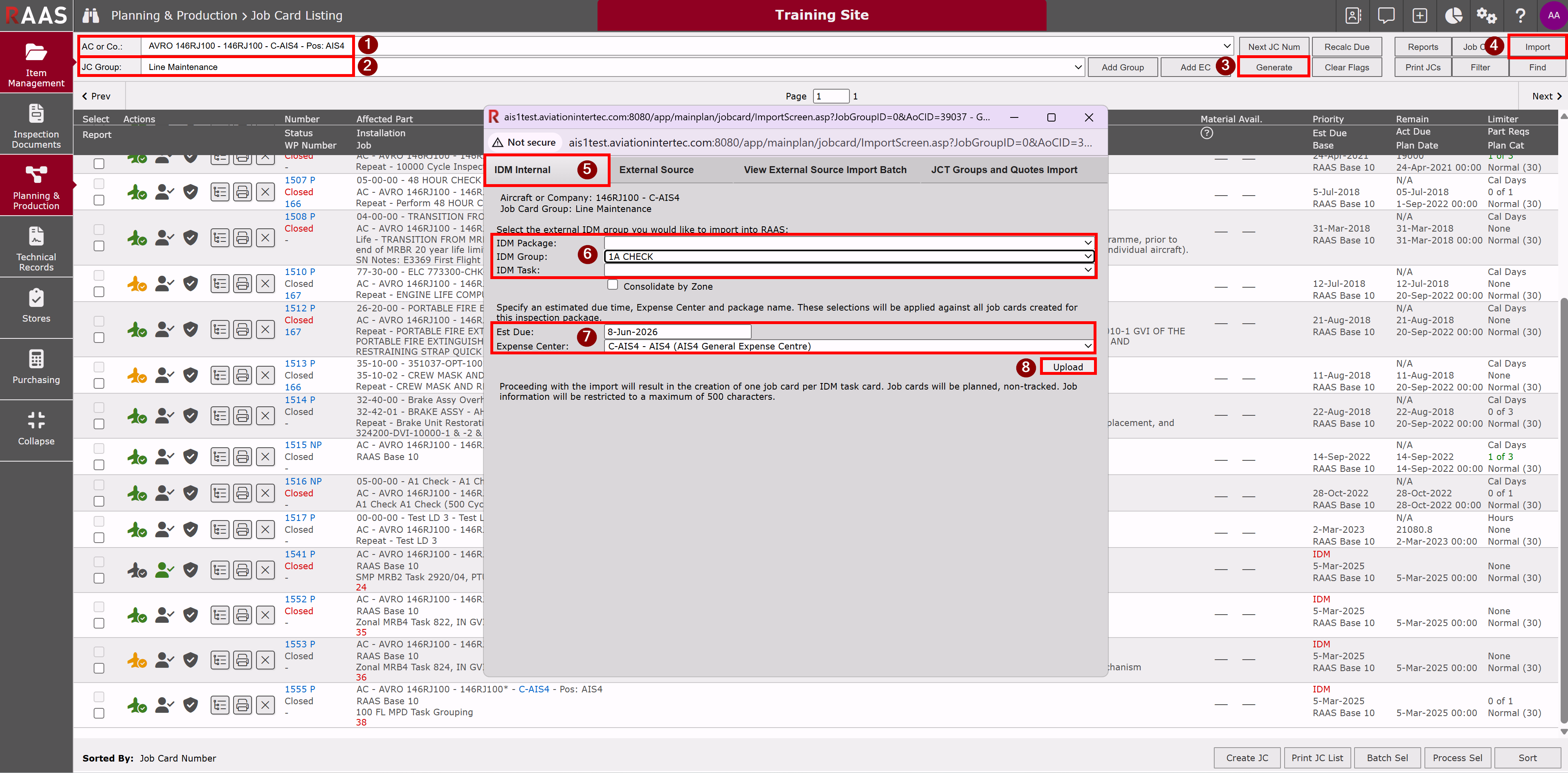
Go to Planning & Production > Job Card Listing
-
Select an Aircraft from drop-down menu.
-
Select a Job Card Group.
-
Click Generate.
-
Click Import.
-
Select IDM Internal tab.
-
Select the external IDM Package, Group or Task you would like to import into the Job Card Listing.
-
Specify an Estimated Due Date and Expense Center.
-
Click Upload.
Re-generate the Job Card Listing to see the newly created Job Cards. There will be one Planned, Non-Tracked Job Card (JCs will not be tracked on Maintenance Forecast) for each Task. All JCs will have the Estimated Due Date selected during Import. Once created, Job Cards can then be added to a Work Pack if required.