
The Attached Items button allows a RAAS user to see which inspections/components are installed on a specific serial number.
To find all inspections/parts in an assembly:
-
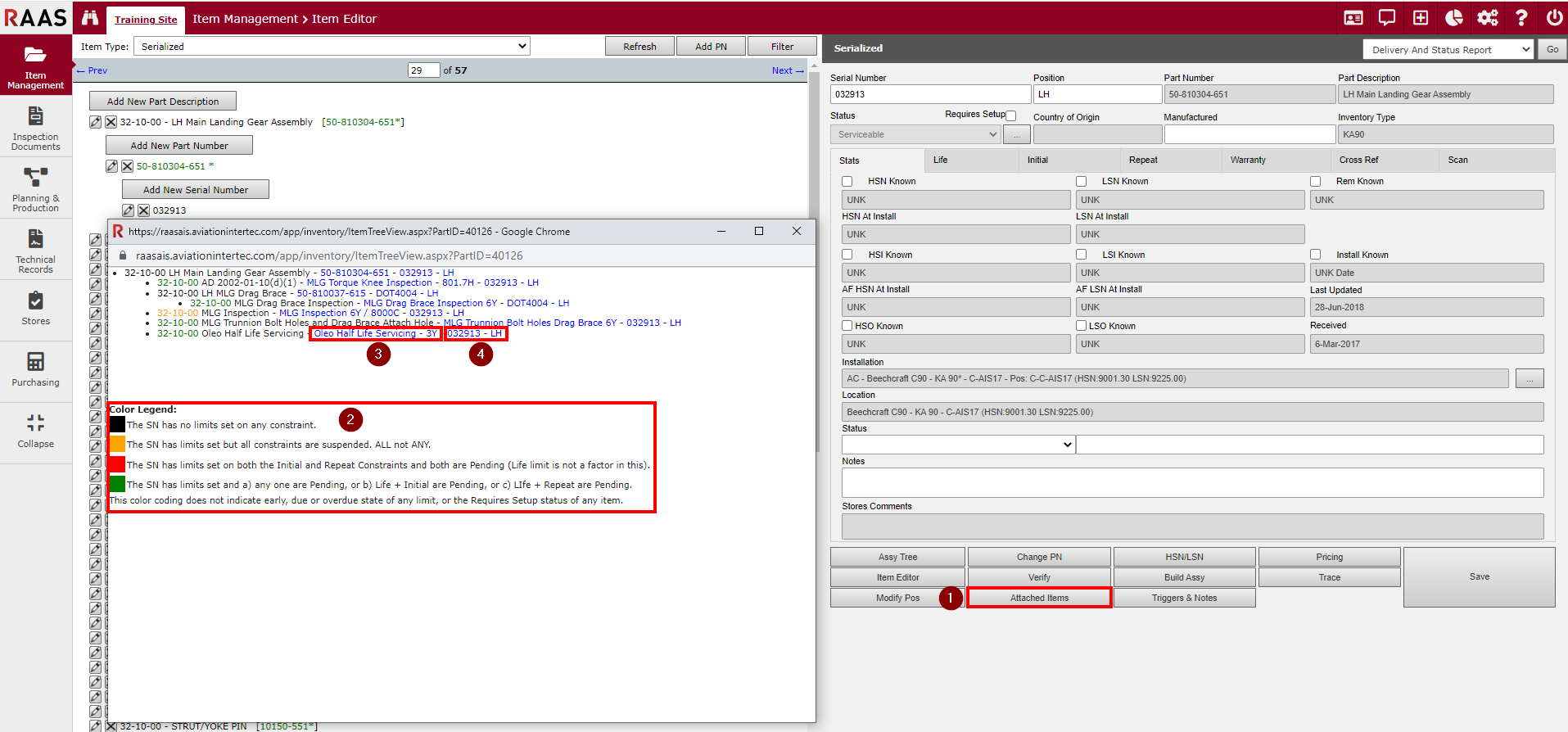
Click on Attached Items within a serial number.
-
A pop-up window will appear, showing all attached parts. Within the pop-up window, there is an explanation of what each colour represents (Color Legend).
-
Clicking on the inspection/part section (example- Oleo Half Life Servicing - 3Y) of the hyperlink will bring up a summary of the inspection/part.
-
Clicking on the serial number section of the hyperlink (example- 032913 - LH) will bring up a summary of the serial number.
NOTE: Part Numbers and Serial Numbers cannot be changed from this window.