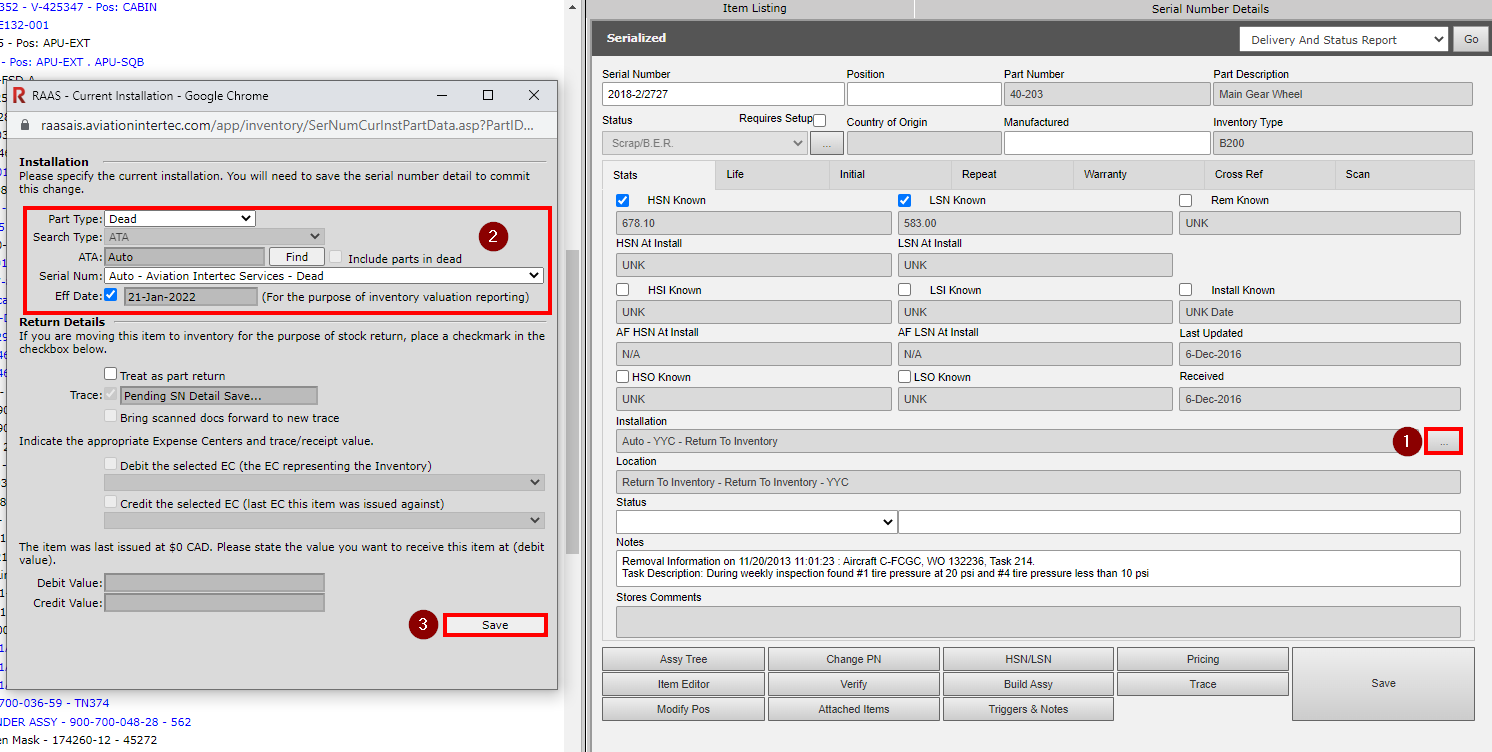
When a user modifies the current installation of a serial number by clicking the ellipse button to the right of the Installation field, this is called a manual movement. Manual movements should typically be avoided in favour of the prescribed RAAS workflow.
There are, however, times when a manual movement is required. One such time is when a part is removed from an aircraft serviceable and will be put back into inventory until required again. In this instance, the user would modify the current installation from Return To Inventory to Inventory.
Another example of when a manual movement is required is when a part is removed from an aircraft and is deemed BER (beyond economical repair). In this second instance, the user would modify the current installation from Return To Inventory to Dead.
When modifying the current installation, the user must always be aware of part valuation and expense status and confirm and adjust Trace details as necessary.
Once an Inspection serial number is created there is no reason to modify its current installation.
Once a Consumable bin/serial number is created there is no reason to modify its current installation.